Overview
APU Company manufactures most of Mongolia's beer, vodka, dairy, water, and soft drinks — their products are in virtually every supermarket, bar, restaurant, and corner store in the country. Stocking those shelves has always run through Sales Representatives: one person covering a territory, visiting wholesale customers in person to take their orders.
OnTap is a direct ordering channel that replaces that phone call and that visit. A mobile app for B2B wholesale purchasing across 800+ SKUs, with a web dashboard for larger accounts.
The problem
An SR can only visit so many customers per day. If you run out of Sengur beer on a Friday night and your rep's visit isn't until Monday, your options are: call, send a Viber message, and hope. Orders get lost, misheard, or forgotten. Customers are limited to the buying window their SR can give them.
APU needed a direct channel — one that worked without the rep in the loop and that could handle the full complexity of a wholesale relationship: multiple subsidiaries, custom pricing, loan balances, loyalty points, and scheduled deliveries.
Designed for reordering, not discovery
Consumer apps are optimized for browsing. Wholesale customers aren't browsing — they buy the same products week after week. The design prioritizes repeat purchasing over exploration.
Order Templates let customers save a typical basket. One tap puts everything back in the cart. No searching, no counting, no starting from scratch.
When customers do need to enter a quantity, the input is a number pad, not a +/− stepper. Wholesale quantities are 24, 48, 120 units. A stepper would take 48 taps. The keypad takes two.
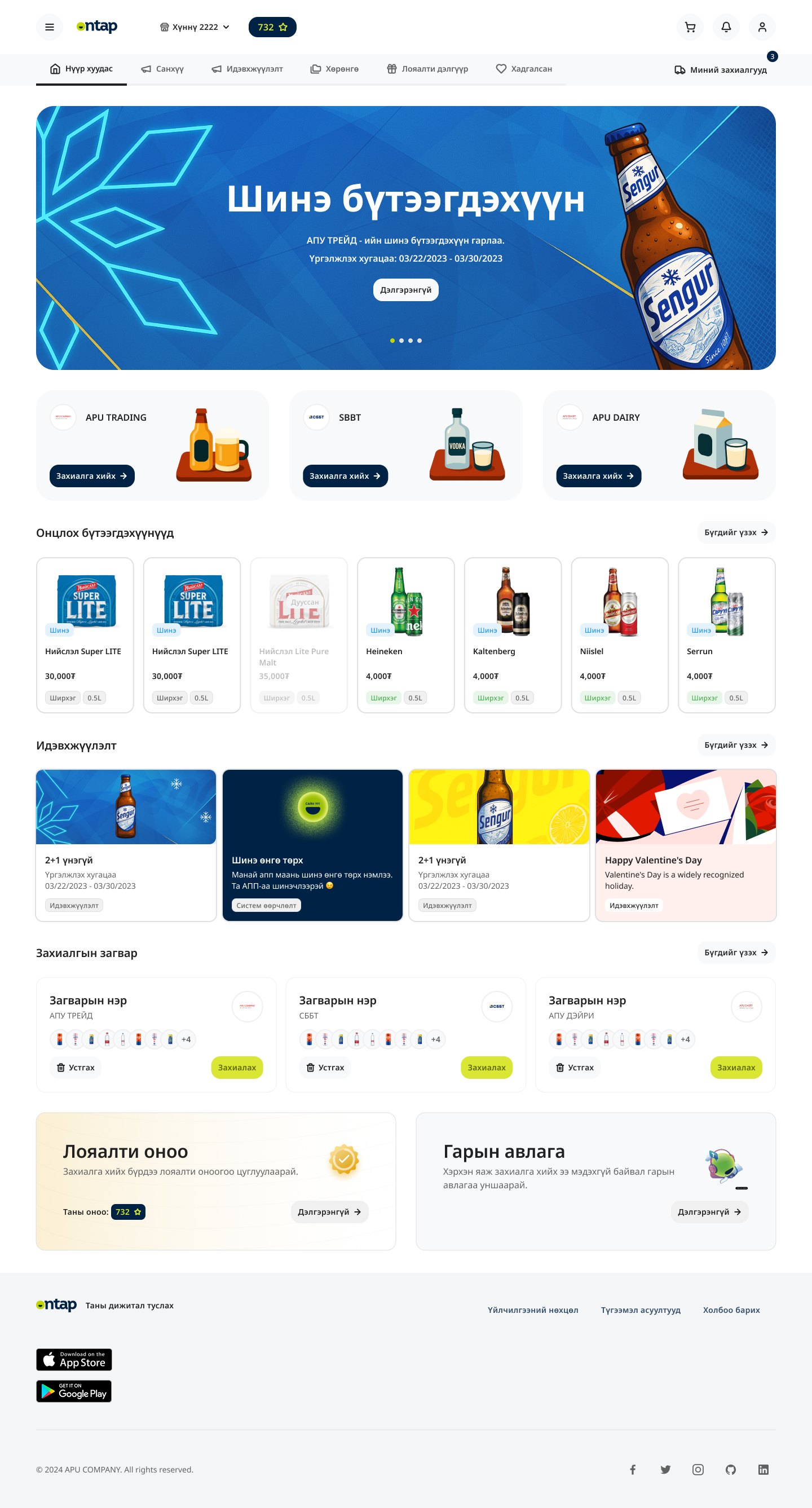
Catalog and cart
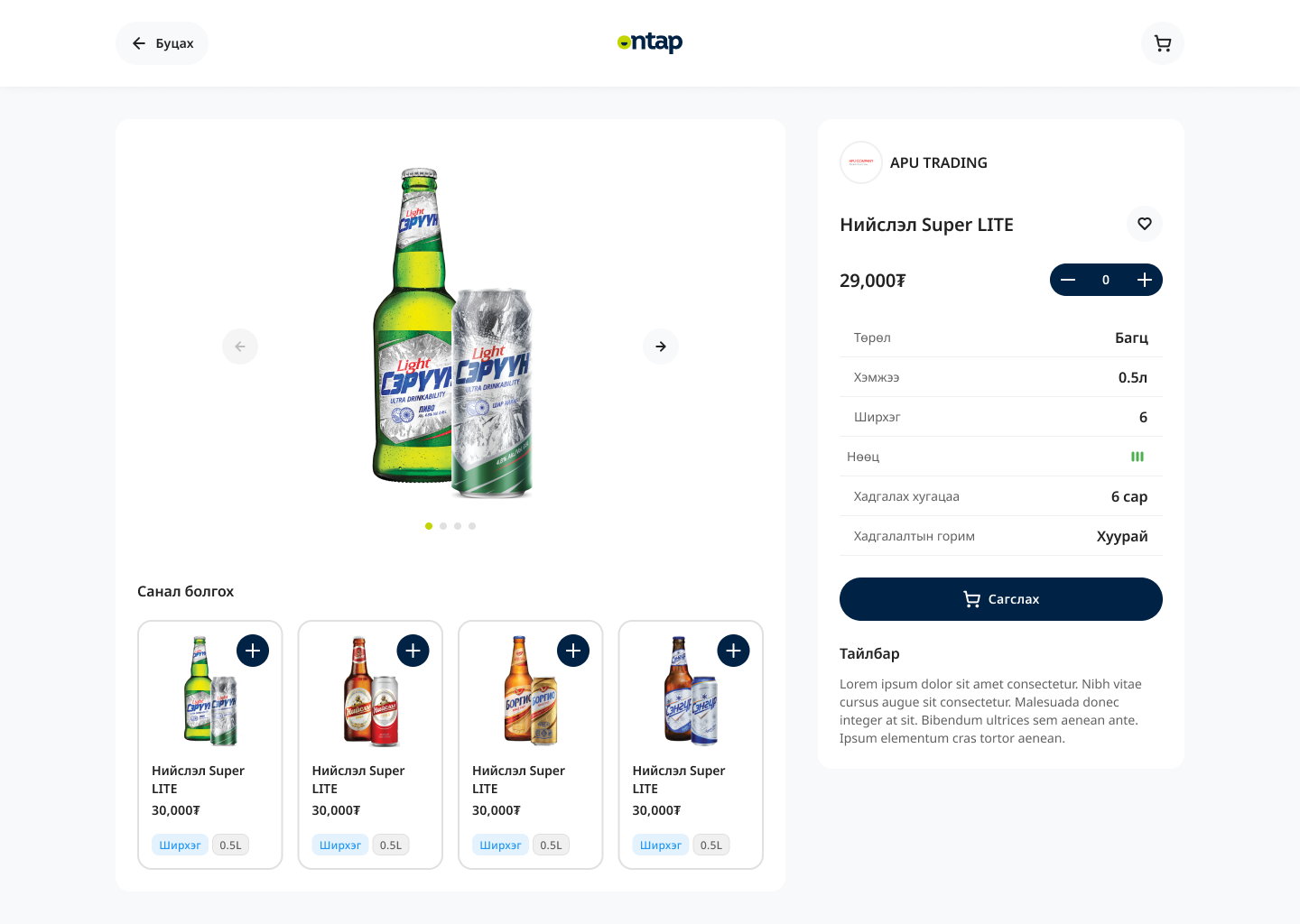
The product catalog spans Beer, Soft Drink, Spirits, Dairy, and more — filterable by brand within each category. Products from APU's subsidiaries (APUT, SBBT, APUD, AfterDrink) are all accessible from a single catalog.
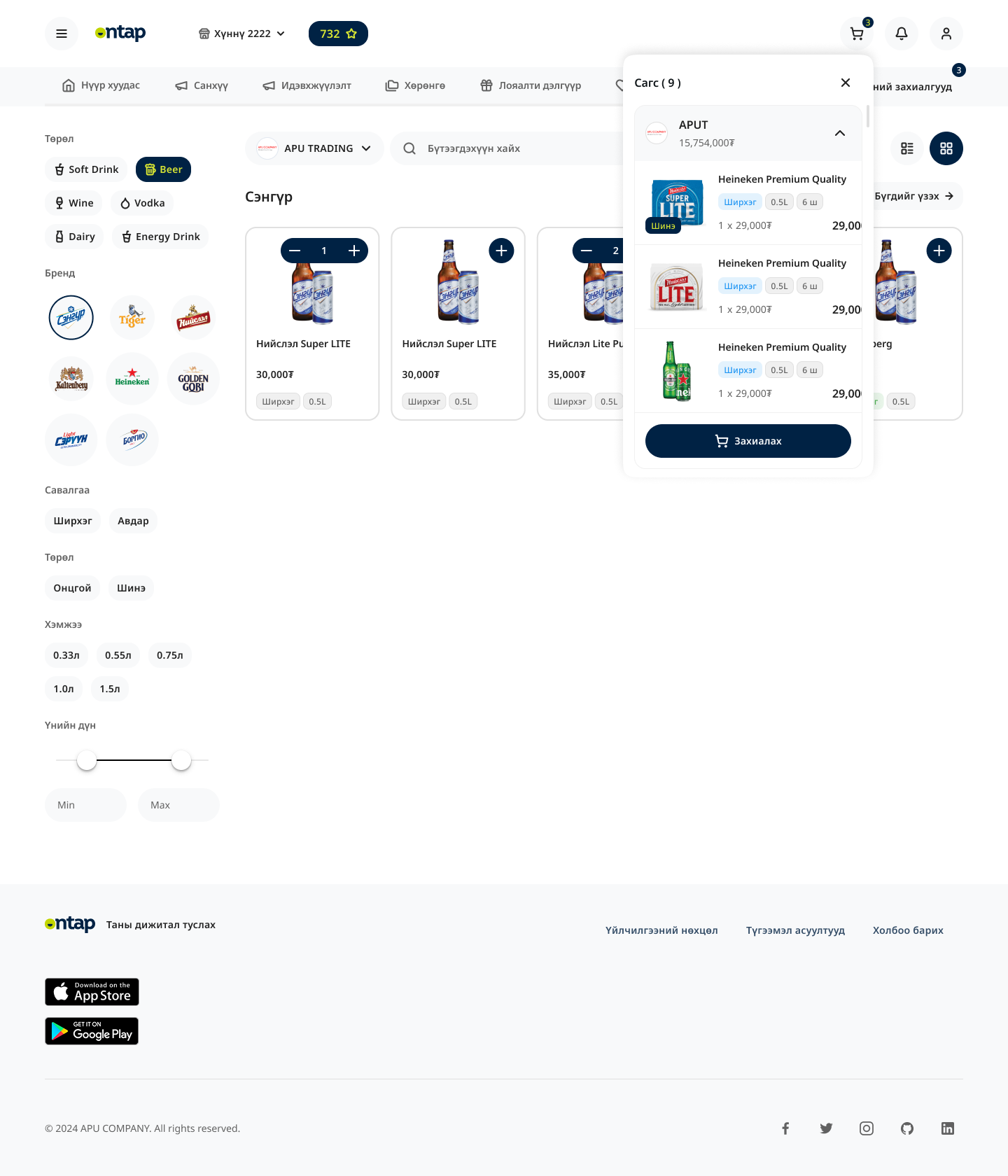
The cart reflects how APU actually fulfills orders: items are grouped by subsidiary branch, each with its own subtotal. A customer ordering from multiple brands gets one checkout, multiple fulfillments, fully transparent.
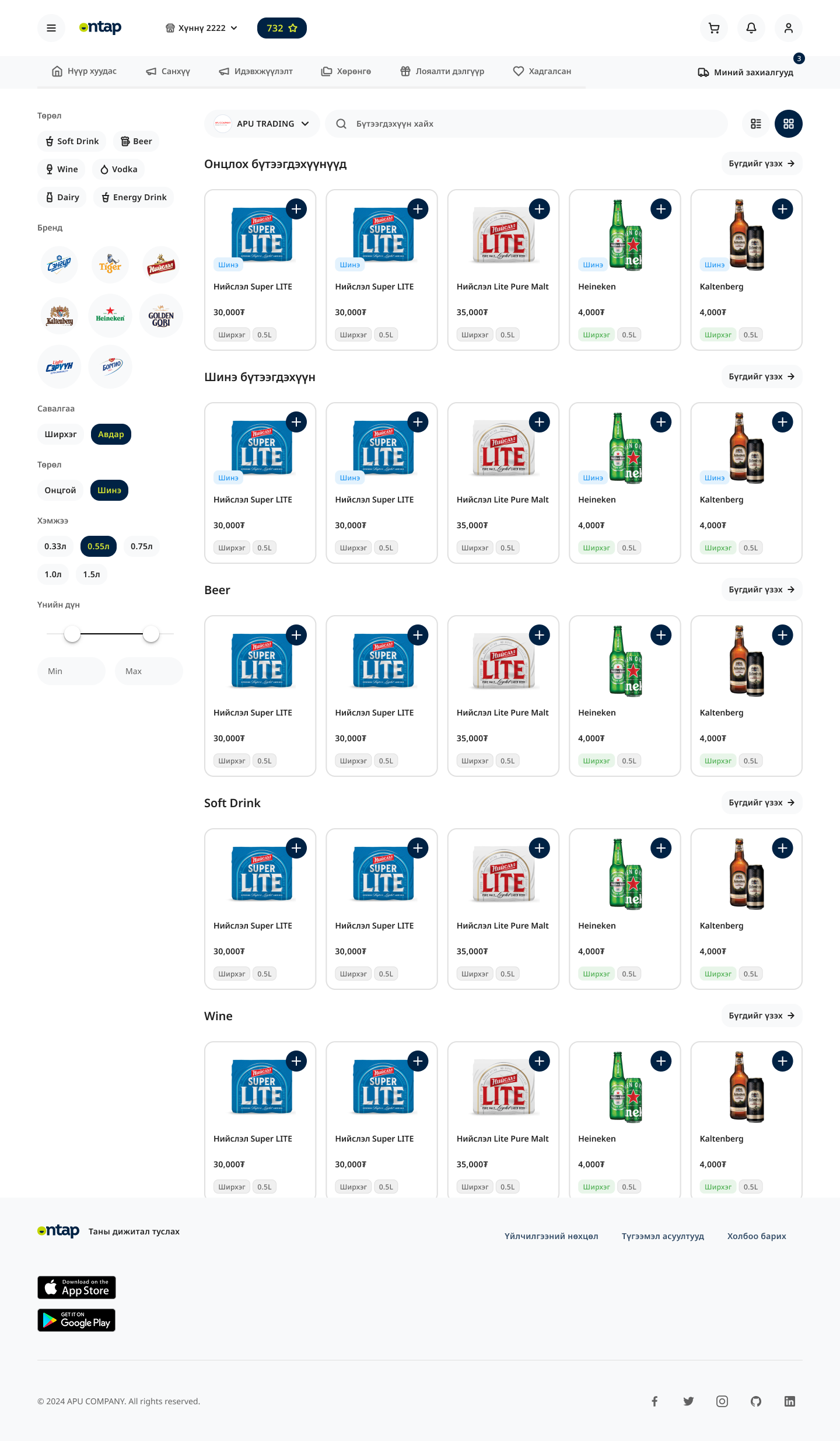
Checkout
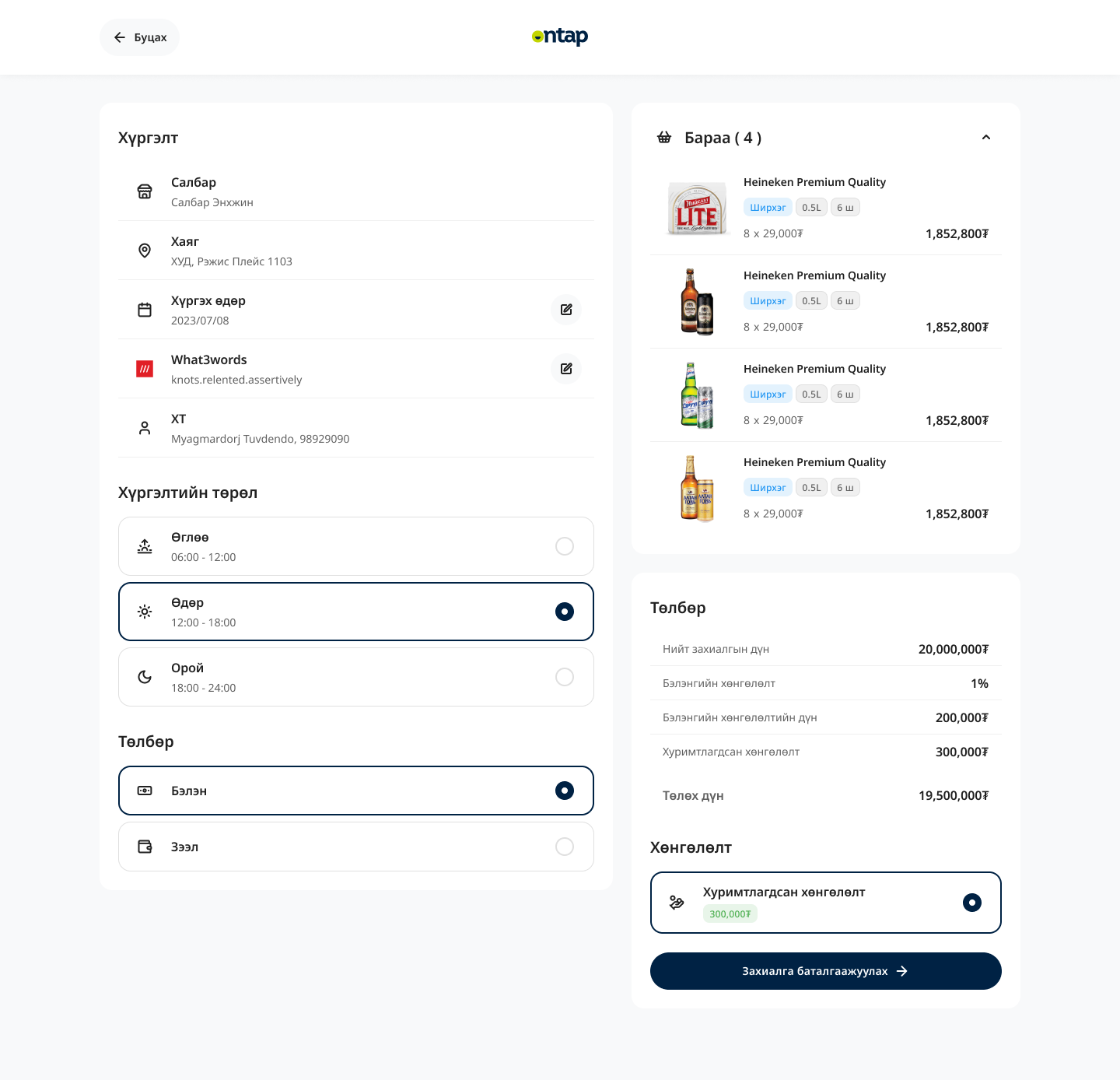
Checkout covers delivery scheduling, address selection, and payment. Customers can pick a delivery window (morning, afternoon, or evening) and choose a specific date. For accounts with credit terms, loan payment is available alongside standard payment — the balance is shown inline so there are no surprises.
Loyalty
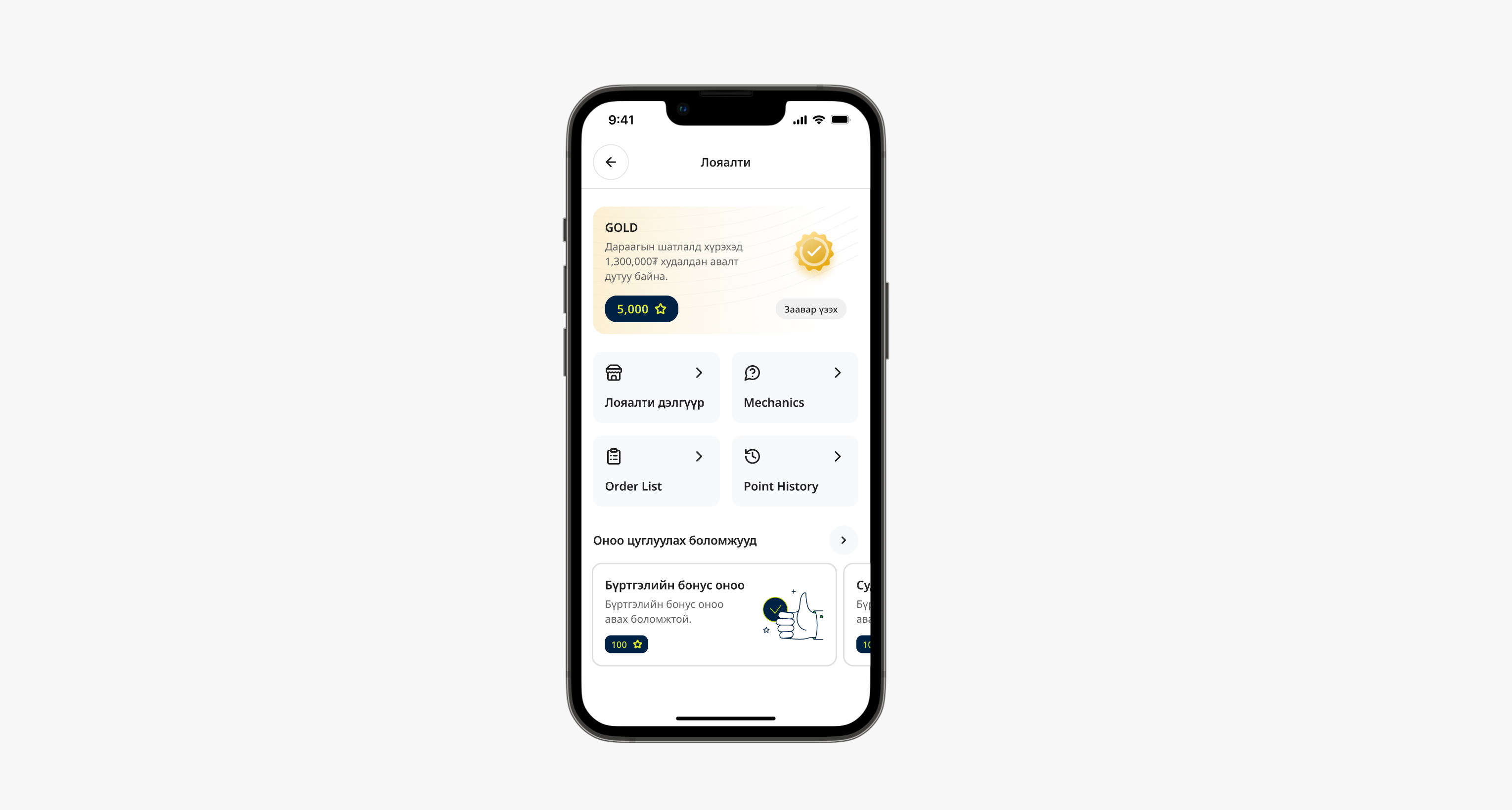
OnTap includes a five-tier loyalty program: Iron, Bronze, Silver, Gold, Diamond — advancing by monthly purchase volume. Points accumulate at 1 per 1,000₮ spent.
Points are redeemable in a POSM store: branded fridges, umbrellas, beer glasses, and other merchandise APU distributes to trade partners. The same assets APU's trade marketing team manages are now accessible directly in the app — customers can see what they've earned and claim it without calling anyone.
Web app
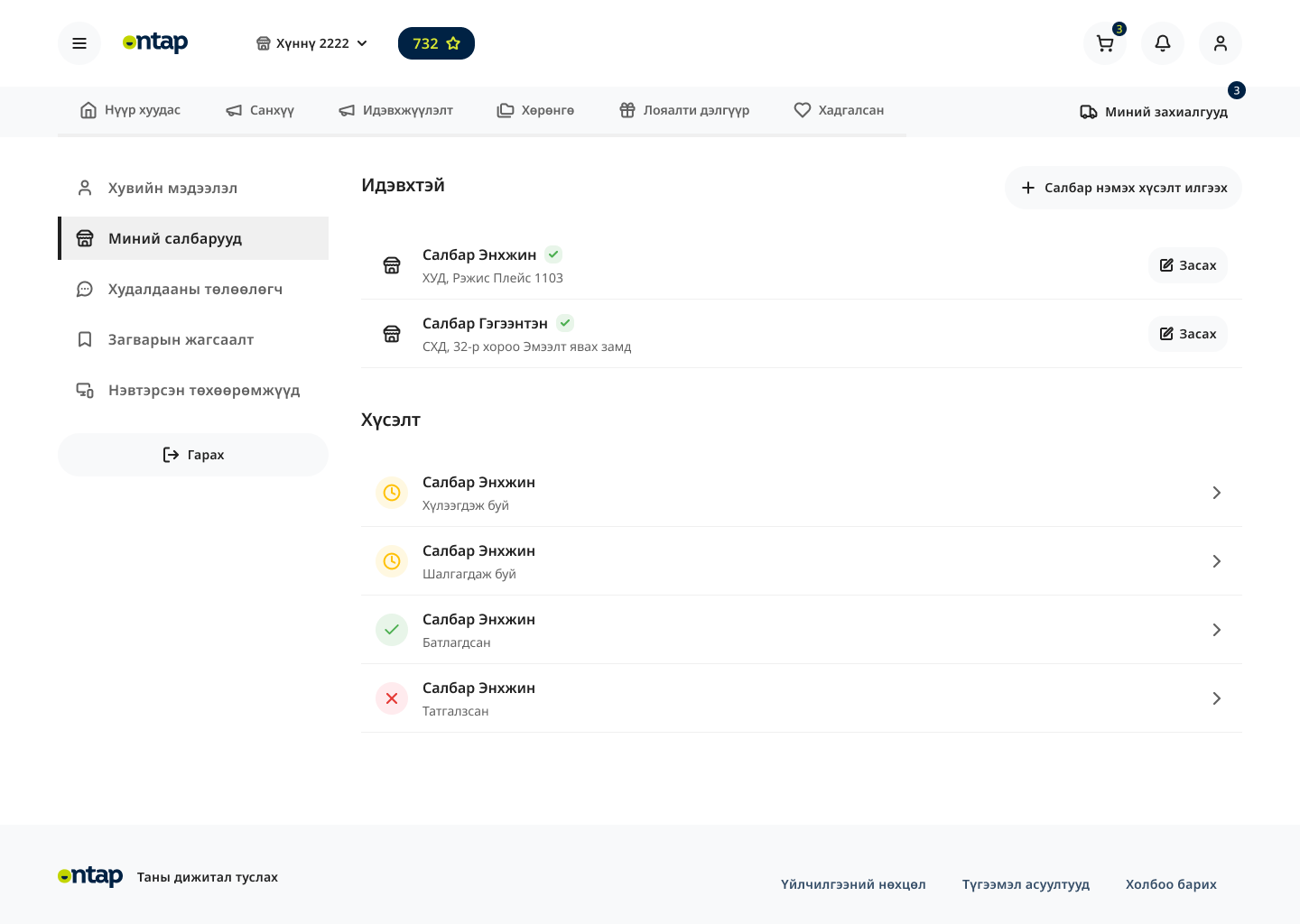
Larger accounts — chain stores, multi-location restaurants — also get a web dashboard for order management, reordering, and reporting across locations.
Orders anytime
Wholesale customers can place and schedule orders directly, without waiting for their SR to visit or hoping a Viber message gets through.
One-tap reorders
Order Templates cut reorder friction to near zero for repeat customers — the most common buying pattern in wholesale.
SR focus shifts
With routine orders flowing through the app, Sales Reps spend less time order-taking and more time on new accounts and relationship management.